
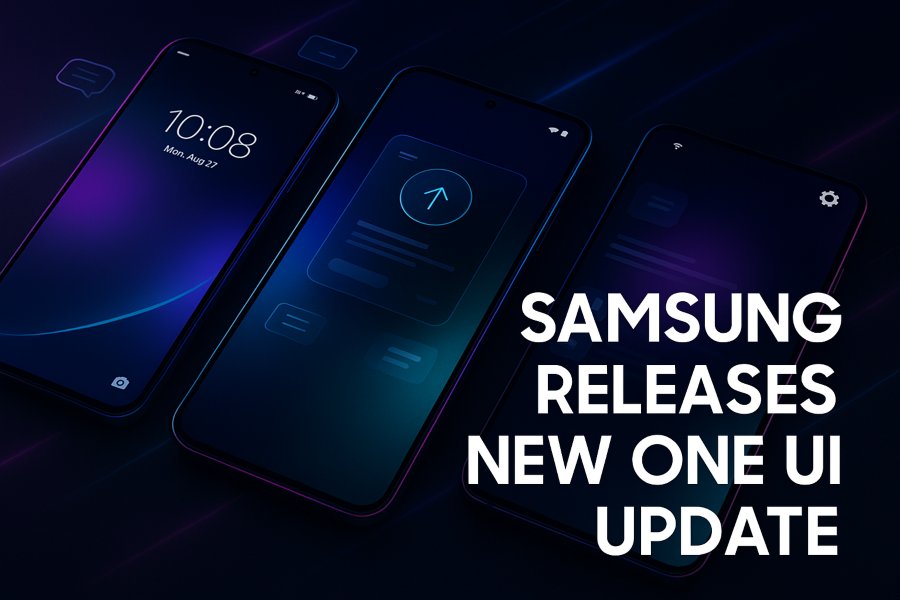
Samsung has officially rolled out its latest One UI update, introducing a refined design, improved performance, and several new features aimed at enhancing the overall smartphone experience. As one of the most anticipated updates in the Android ecosystem, this new version of One UI focuses on personalization, productivity, and seamless usability across Samsung’s Galaxy devices.
The update has already started reaching eligible Galaxy phones and tablets in several regions, with more devices lined up throughout the rollout schedule. Whether you’re using a Galaxy S-series flagship, a mid-range A-series model, or a Galaxy Fold device, Samsung’s newest software release brings meaningful improvements that elevate day-to-day usage. In this detailed guide, we break down everything that’s new, improved, and worth knowing.
What Makes This One UI Update Special?
Samsung releases One UI updates almost every year, but this release stands out because it combines design evolution with advanced AI-driven capabilities. It isn’t just a visual refresh—it’s a smarter, faster, and more connected experience crafted for modern smartphone users.
Here are the biggest highlights of this update:
- A cleaner, more polished interface
- Improved animations and responsiveness
- New AI-assisted features across system apps
- Better multitasking, especially for foldable devices
- Optimized battery efficiency
- Enhanced privacy and security controls
These improvements show Samsung’s commitment not just to compete but to lead the Android ecosystem by offering comprehensive software enhancements.
A Refreshed Interface with Smoother Navigation
The first thing users will notice after installing the new One UI update is the refreshed design. Samsung has made subtle but impactful changes that make the interface look cleaner and more modern.
Updated System Icons and Colors
System icons have been redesigned with a more minimalistic look. Colors feel softer and more consistent, resulting in a visually appealing appearance that is easier on the eyes.
Improved Animations
Samsung has worked on reducing animation lag and ensuring consistent transitions. Scrolling, switching between apps, and returning to the home screen feel significantly smoother.
Lock Screen Customization
The lock screen has received new clock styles, layout flexibility, and wallpaper filters that give users more control over personalization. Samsung continues to push deeper customization to match Apple’s lock screen feature offerings.
New AI-Driven Features Across the System
This One UI update comes packed with advanced Samsung AI features, enhancing everything from camera processing to productivity tools.
AI in the Camera App
Samsung has integrated improved scene recognition, better night mode performance, and faster image processing. The camera now suggests the best modes automatically based on lighting and subjects.
Intelligent Photo Editing
The update adds AI-based object removal, background fill, and enhanced image remastering. These tools make it easier to edit photos without relying on third-party apps.
AI-Powered Suggestions
Samsung Keyboard, Messages, and the Gallery search bar now provide AI suggestions that predict actions, improve search accuracy, and provide contextual quick replies.
Battery & Performance Optimization
The AI engine analyzes usage patterns and adjusts power consumption accordingly. This leads to better standby time and balanced performance during multitasking.
Enhanced Multitasking and Foldable Support
Samsung continues to lead the foldable smartphone market, and this One UI update further strengthens that advantage.
Improved Flex Mode
Foldable users will notice upgraded Flex Mode features, offering more controls in media apps, video calls, and productivity tools.
Better Multi-Window Support
Dragging and dropping windows is now smoother, with support for more apps in split-screen mode. You can also save multi-window configurations to quickly reopen your preferred layout.
Taskbar Improvements on Tablets
Galaxy tablets and Fold devices gain a more PC-like taskbar with quicker app switching and better memory management, making productivity workflows stronger.
Privacy and Security Upgrades
Samsung has made significant improvements to privacy settings—an essential part of any modern smartphone update.
Enhanced Permission Controls
Apps now give more detailed explanations before requesting permissions. The new “Recent Permissions” dashboard shows which apps accessed sensitive data and when.
Auto-Blocker
Samsung introduces an Auto-Blocker feature that helps prevent harmful apps, unauthorized sideloading attempts, and suspicious background activity.
Better Secure Folder Integration
The Secure Folder now offers easier switching between personal and protected environments, improving usability while maintaining strong encryption.
Better Battery Life and Device Care Improvements
One UI’s Device Care feature has been updated with smarter diagnostics and energy-saving options.
New Battery Protection Modes
Samsung includes enhanced charging controls, such as limiting maximum charge to increase battery lifespan. Users can now choose from multiple battery protection profiles based on their needs.
Improved Thermal Management
High-performance modes now manage heat more efficiently during gaming or video recording, helping devices stay cool for longer.
Storage Cleanup Suggestions
The system automatically identifies large unused files, duplicate photos, and rarely used apps, giving users smarter recommendations to free up space.
Updated Samsung Apps and System Tools
Many Samsung apps have been redesigned or optimized with this update.
Samsung Internet Browser
The browser gets better tab organization, improved privacy settings, and smoother scrolling. Dark mode is now more consistent across websites.
Messages App
RCS features have been refined, new quick responses are available, and chat organization has improved.
Samsung Notes
New handwriting enhancements, improved text recognition, and better syncing with Galaxy tablets make the Notes app even more powerful.
Samsung Health
The Health app now includes more accurate sleep tracking, improved heart rate analytics, and redesigned activity dashboards.
Connectivity Improvements With the Galaxy Ecosystem
The new One UI version strengthens the connection between Galaxy devices, creating a seamless ecosystem similar to Apple’s continuity features.
Multi-Device Collaboration
Typing, clipboard sharing, and app continuity across Galaxy tablets, phones, and laptops feel more fluid than ever.
Better Integration With Galaxy Buds
Galaxy Buds get updated controls, spatial audio improvements, and more stable connections.
Galaxy Watch Enhancements
One UI Watch features sync more accurately with phone settings, and new watch faces are included for deeper personalization.
Which Devices Are Getting the Update?
Samsung has published an official rollout timeline, and the update is already live for several devices. While the timing varies by region, the first devices to receive the update typically include:
Galaxy S Series
- Galaxy S24, S24+, S24 Ultra
- Galaxy S23 Series
- Galaxy S22 Series
- Galaxy S21 Series
Galaxy Z Fold & Flip
- Galaxy Z Fold 6, Fold 5, Fold 4
- Galaxy Z Flip 6, Flip 5, Flip 4
Galaxy A Series
Many popular A-series models will receive the update in phases, including:
- Galaxy A54
- Galaxy A53
- Galaxy A34
- Galaxy A33
- Galaxy A15, A25, and others depending on region
Tablets
- Galaxy Tab S9 series
- Galaxy Tab S8 series
- Select mid-range Samsung tablets
Samsung is known for offering long-term software support, so several older models will also eventually join the rollout.
How to Check If Your Phone Has Received the Update
To manually verify whether your device has received the new One UI update:
- Open Settings
- Scroll to Software Update
- Tap Download and Install
- Wait for the system to check for updates
If the update is available in your region, you will see the download screen along with details about the new features.
Users who don’t see the update yet may need to wait a little longer, as Samsung releases updates gradually to ensure stability.
Performance Improvements and Bug Fixes
Beyond the visual changes and new features, this One UI update includes several under-the-hood enhancements.
Faster App Launching
Apps open noticeably quicker, especially system apps and frequently used third-party apps.
Reduced RAM Usage
The update includes advanced process optimization, allowing devices to run more apps without slowdowns.
Fixes for Connectivity Issues
Wi-Fi stability, Bluetooth pairing, and mobile network switching have been improved.
Smoother Gestures
Navigation gestures feel more responsive, addressing previous complaints about sensitivity and jitter.
User Reactions and Community Feedback
Early reactions to Samsung’s newest One UI update have been overwhelmingly positive. Users have praised the smoother animations, better customization tools, and AI-powered improvements.
Many foldable users, in particular, appreciate the enhanced multitasking tools and Flex Mode upgrades. Photo enthusiasts also highlight the improved camera processing and editing tools.
While some users experienced minor bugs such as notification delays or battery recalibration issues, Samsung typically releases follow-up patches quickly to address early problems.
Should You Update Now?
If the update is available for your device, installing it is highly recommended. Samsung has polished this release significantly, making it one of the most stable and feature-rich One UI versions yet.
Before updating:
- Ensure your device has at least 50% battery
- Connect to Wi-Fi
- Back up your important data through Samsung Cloud or Google Drive
Once updated, you’ll experience a noticeably smoother and smarter Galaxy device.
Final Thoughts
Samsung’s new One UI update is a major step forward for the Galaxy ecosystem. With improved design, faster performance, AI-powered tools, and deeper device-to-device integration, the update strengthens Samsung’s position as a leader in Android innovation. Whether you’re a power user, a content creator, or someone who simply wants a more efficient phone, this update brings meaningful improvements that enhance everyday smartphone use.
The rollout will continue expanding to more devices in the coming weeks, but once you receive it, you’ll immediately notice the difference—Samsung has focused heavily on polish, intelligence, and usability.
0 Comments